
The Location Field helps you organise users when your company has more than one workplace.
It is useful when:
- a user works across multiple locations
- you want to restrict access or bookings by location
- you need a simpler way to reflect workplace setup in settings
- your user data is synced through SCIM
The Location Field is helpful when Teams on their own are not enough.
For example, if one team works across London and Manchester, they can stay in the same Team while also having a Location that shows where they work.
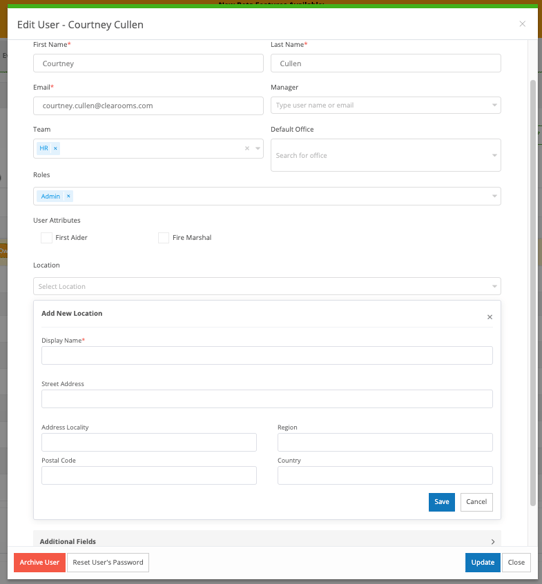
This can help with:
- managing users across more than one office
- applying location-based restrictions
- keeping user records aligned with your identity provider
How it works with SCIM
If you use SCIM user provisioning, the Location Field can be synced from your identity provider.
This means your location data can be managed centrally and kept up to date in Clearooms. A location can also include an address, if that information is available in your setup.
Location Field vs Teams
Use Teams for department or function.
Examples:
- Customer Success
- Sales
- Operations
Use Locations for where someone works.
Examples:
- London Office
- Manchester Office
- New York HQ
A user can belong to both a Team and a Location.
Example use case
A Customer Success team works across two offices.
All users stay in the same Team, but each person is also given a Location based on their office. Some users may belong to more than one location.
This helps admins keep team structure simple while still reflecting where users are based.
Another example is desk allocation. If a user is assigned to a location, you can use Advanced Allocation to allocate desks only to team members in specific locations. This gives you more control when teams are split across different offices.