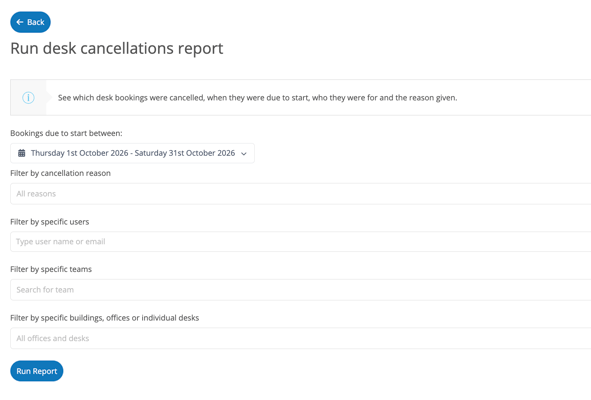
The cancellation reports let you review cancelled desk and parking space bookings and the reasons recorded by users. This helps you understand why bookings are cancelled and identify recurring reasons.
There are separate reports for desks and parking spaces. Each report can be downloaded for further analysis.
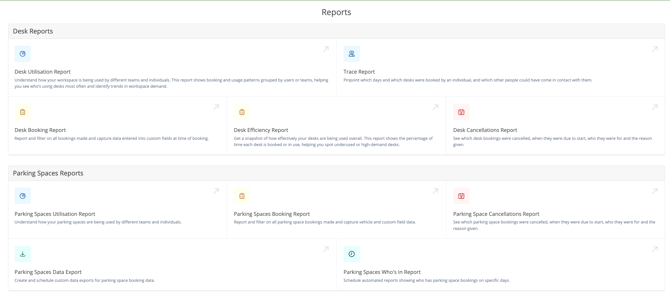
Viewing the Reports
- Open the Reports page.
- Select the report for the booking type you want to review:
- Desk cancellation report for cancelled desk bookings.
- Parking spaces cancellation report for cancelled parking space bookings.
- Select the date range and apply any filters you need.
- Review the cancellations and their recorded reasons.
Filters
Use the filters to focus on the cancellations you want to review:
- Date range: Select the dates the report should cover.
- Cancellation reason: Filter by a specific cancellation reason.
- Users: View cancellations for specific users.
- Teams: View cancellations for specific teams.
- Building: Filter by a specific building.
- Office: Filter by a specific office.
- Desk or parking space: Select individual desks in the desk cancellation report or individual parking spaces in the parking spaces cancellation report.
Download the report
You can choose to download the report or email the results to yourself.