
The “Exclude released desks from booking quota” rule works alongside the “Max number of bookings per period” setting.
When users are limited in how many bookings they can make per week or month, enabling this option ensures that bookings made from desks released by an advanced allocation rule do not count toward their booking limit.

Example:
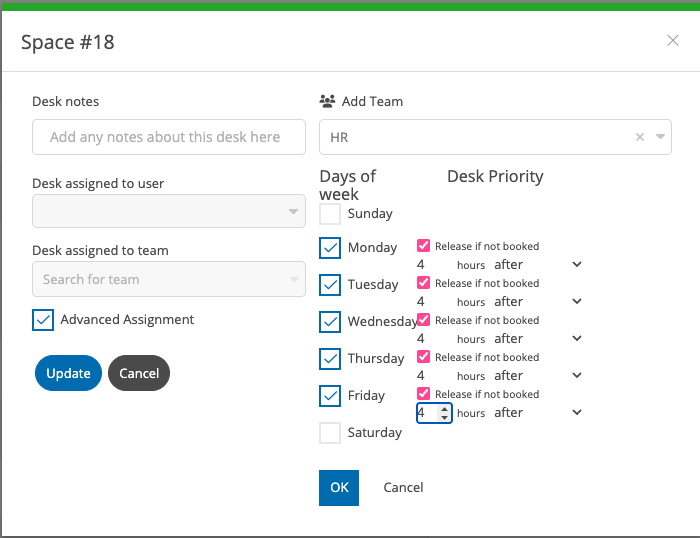
If the maximum number of bookings is set to 2 per week, and an advanced allocation rule assigns desk 18 to the HR team, you may also configure a “release if not booked” rule (e.g., 4 hours after the start of the working day).
Assuming working hours begin at 9:00 AM, if desk 18 is not booked by 1:00 PM, it is released to all users. If another user books this space after it has been released, the booking will not count toward their weekly or monthly limit.
For instance, if the user had already reached their 2-booking limit before reserving this desk, they would still retain those 2 bookings after making the additional reservation.
Click here to view the full guide on Advanced Allocations.