
Creating new rooms
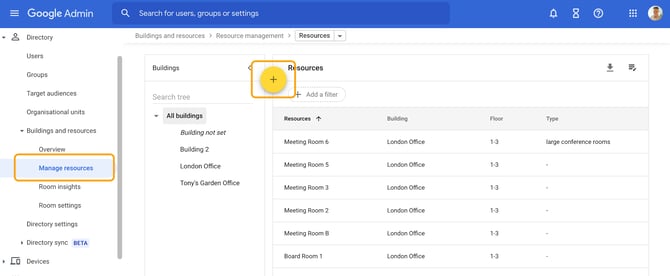
To create a new room, open Google Admin at https://admin.google.com/ and open Directory - Buildings and Resources, then click the yellow plus button to add a new resource.
If you can't see Meetings rooms in the next step, you need to create a building first.
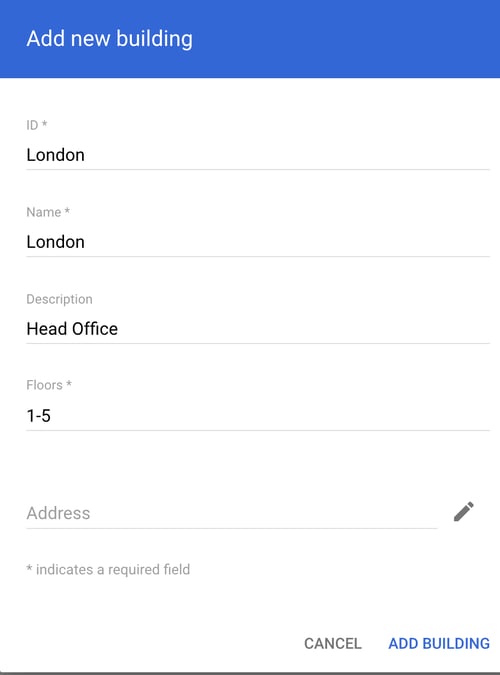
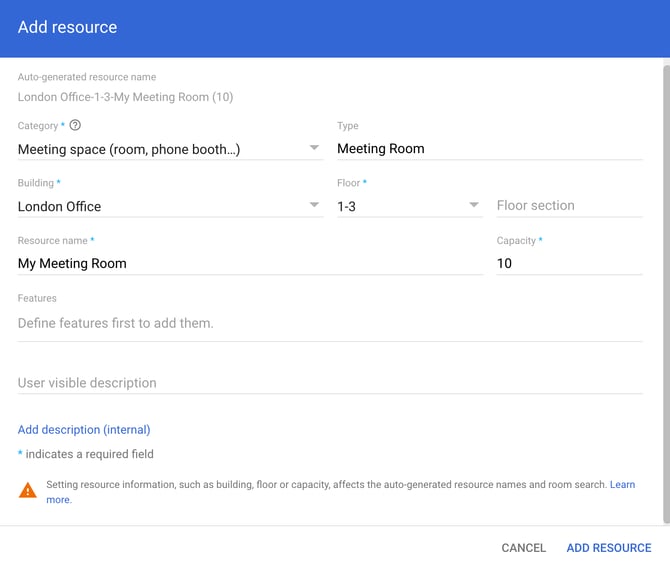
Once you have a building created, you can add a Meeting room.
Editing an existing room
Once saved the room can be seen in Clearooms in the Apps and Integrations page as well as the manage meeting rooms page for you to import into Clearooms and add to your office plan.