
Desks: Enable Users to Reserve Desks for Multiple Weeks with One Click.
Allow users to book a single desk for a period of time with one click.
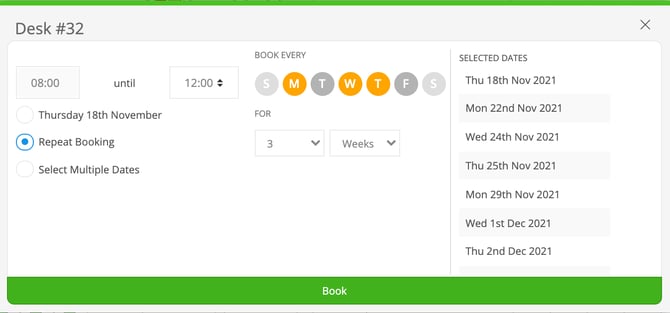
Users can select days of the week and a period of time, A further restriction of maximum number of weeks can also be applied.
When bookings are made in bulk via Repeat Bookings, they are linked, and when viewed, the user can cancel individual days or choose to cancel the whole series at once.
There is another rule below called "Advanced Booking Restricted to" which will also be respected for bookings in the future.
Meeting Rooms: Repeat Bookings
When creating recurring meetings you can manage how many weeks in advance users can book with this setting.
Head over to Settings > Meeting Rooms > Meeting Rules
From here, you can toggle on and off the 'Repeat Booking' option and set the duration in weeks.
Be sure to click 'Save' at the bottom of this page for the effects to update.
Repeat meetings can be created but not edited in Clearooms, to make edits after created do so your email management tool (such as Outlook, Gmail etc)