
Allow additional time to setup a meeting room or clean up after by enabling the setup and cleanup Times rule.
To Enable the Rule:
-
Navigate to Settings > Meeting Rooms > Meeting Rules and enable the rule under Restrictions.
How to add Setup and Cleanup Times to a meeting:
-
When creating a meeting and as long as the setting is enabled you will notice the fields Setup Time & Cleanup Time. Here you can enter the amount of time in minutes or hours required for setup or cleanup.
-
Continue to complete the rest of the meeting details and create the meeting.
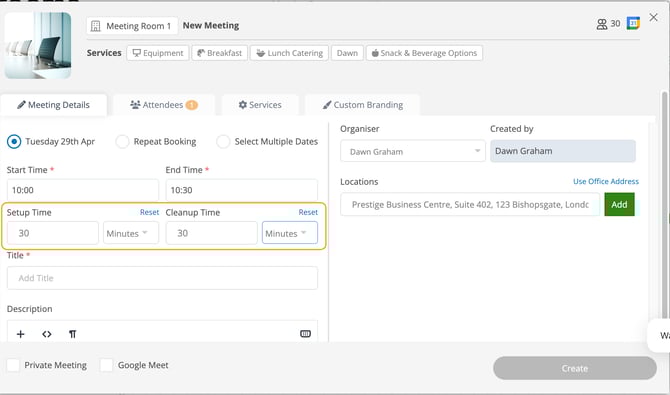
The time entered for Setup can be different to the Cleanup time.
If the meeting is deleted the Setup and Cleanup times will also be deleted.